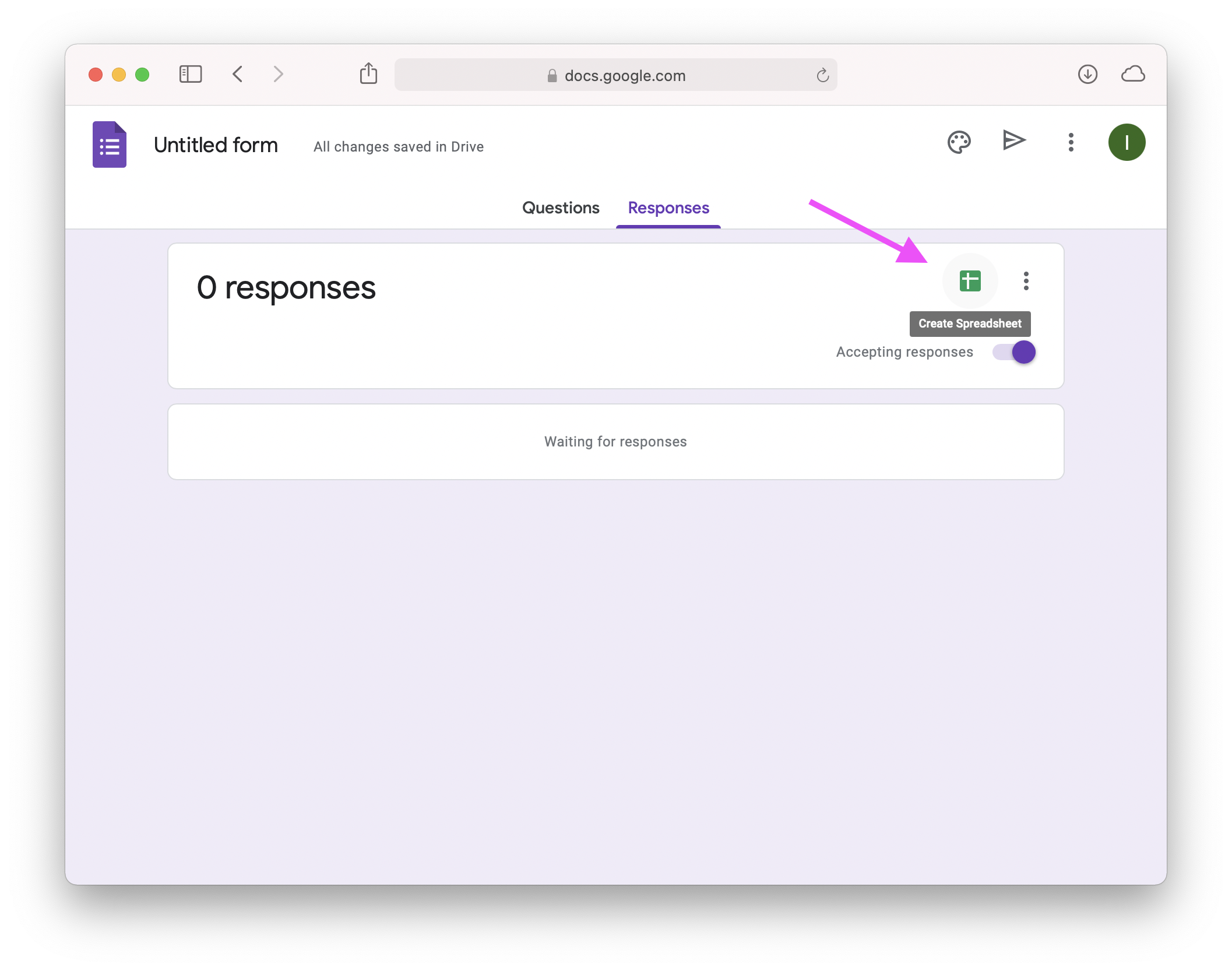
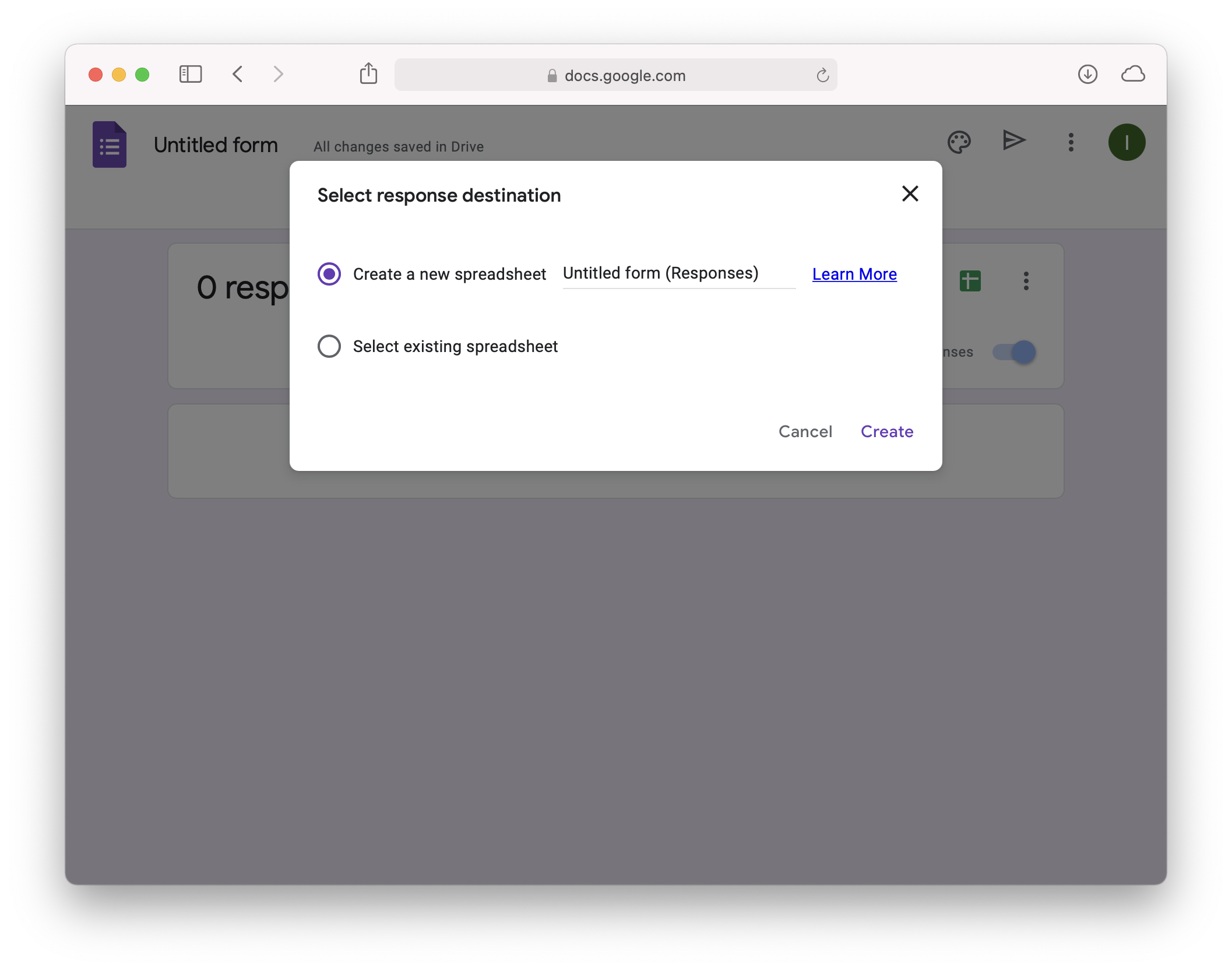
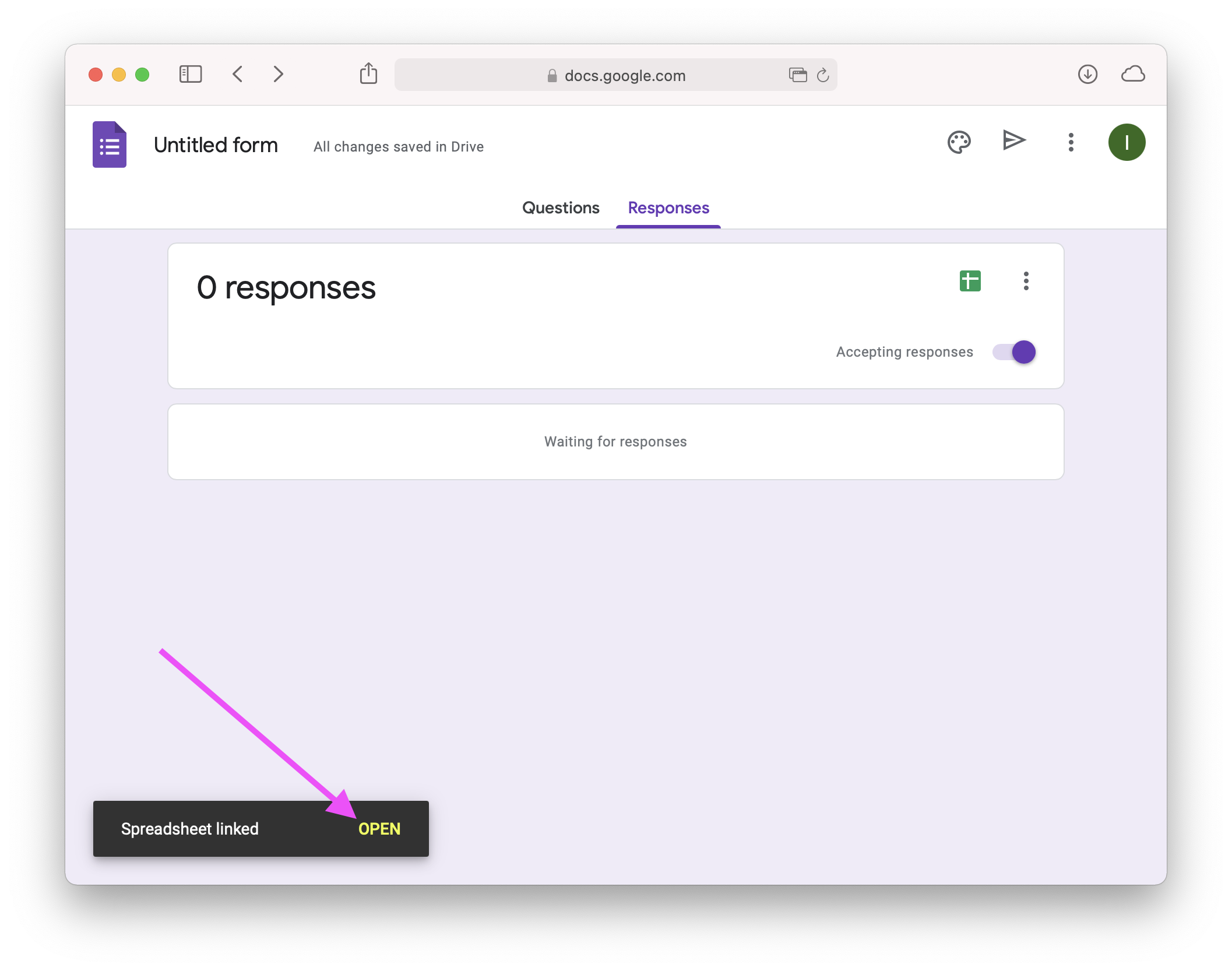
first, create a spreadsheet to receive the form submissions.
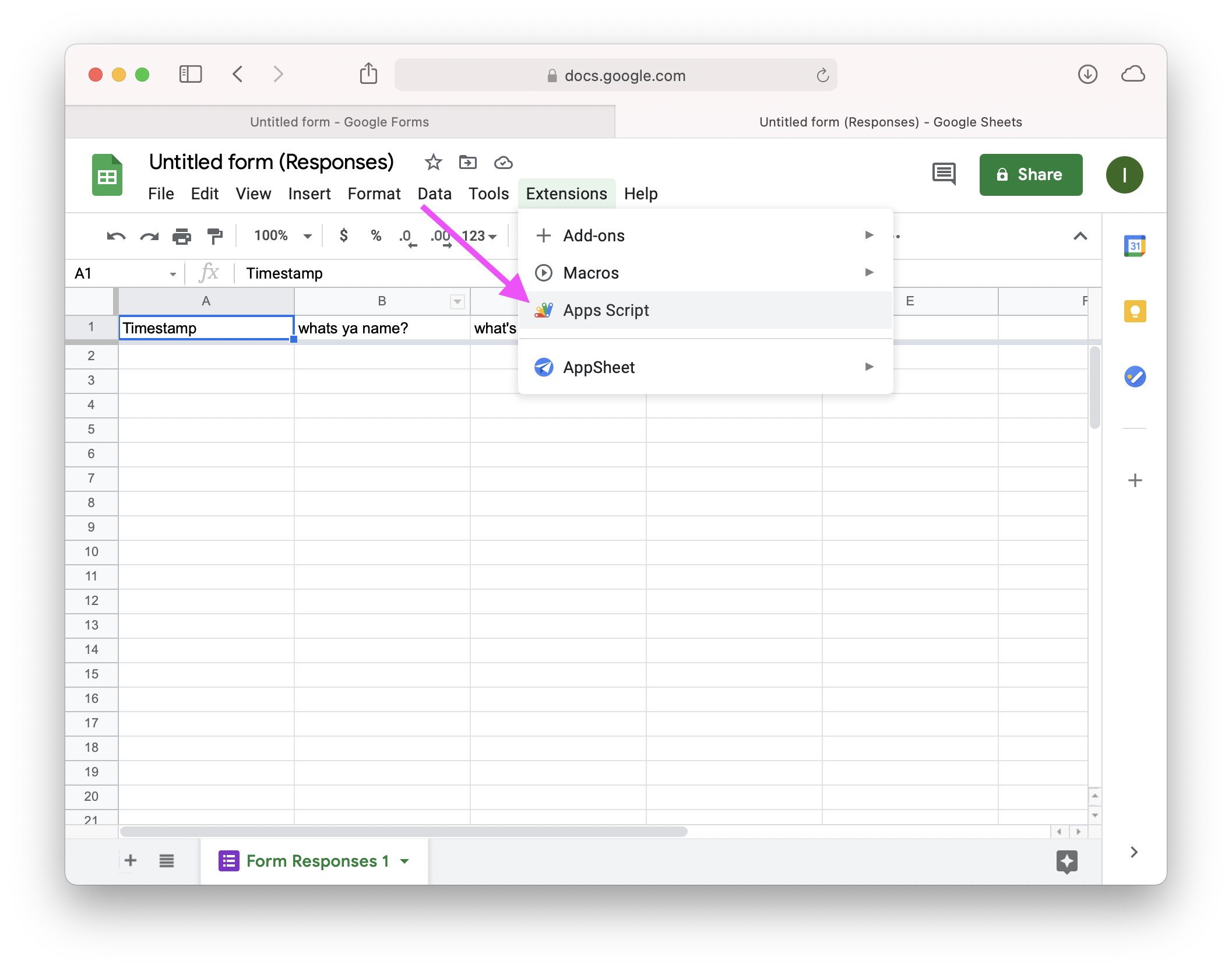
once you have a spreadsheet set up, navigate to the Apps Script page.
paste this script:
function read_byte(bytes) {
  let byte = bytes.splice(0, 1)[0];
  return byte < 0 ? byte + 256 : byte;
}
function read_uint32(bytes) {
  let a = read_byte(bytes);
  let b = read_byte(bytes);
  let c = read_byte(bytes);
  let d = read_byte(bytes);
  return a | (b << 8) | (c << 16) | (d << 24);
}
function read_int32(bytes) {
  let a = read_byte(bytes);
  let b = read_byte(bytes);
  let c = read_byte(bytes);
  let d = bytes.splice(0, 1)[0];
  return a | (b << 8) | (c << 16) | (d << 24);
}
function read_string(bytes) {
  let len = 0;
  let shift = 0;
  while (bytes.length > 0) {
    let byte = read_byte(bytes);
    len |= (byte & 0x7f) << shift;
    shift += 7;
    if (!(byte & 0x80))
      break;
  }
  if (bytes.length < len)
    len = bytes.length;
  return String.fromCharCode(...bytes.splice(0, len));
}
function parseSolution(bytes, metrics) {
  if (read_uint32(bytes) !== 7) {
    console.log("invalid solution file");
    return;
  }
  metrics.puzzle = read_string(bytes);
  metrics.name = read_string(bytes);
  if (read_uint32(bytes) === 0) {
    console.log("solution file doesn't have metrics in it");
    return;
  }
  let zero = read_uint32(bytes);
  metrics.cycles = read_uint32(bytes);
  let one = read_uint32(bytes);
  metrics.cost = read_uint32(bytes);
  let two = read_uint32(bytes);
  metrics.area = read_uint32(bytes);
  let three = read_uint32(bytes);
  metrics.instructions = read_uint32(bytes);
  if (zero !== 0 || one !== 1 || two !== 2 || three !== 3) {
    console.log("invalid solution file");
    return;
  }
  metrics["track hexes"] = 0;
  let number_of_parts = read_uint32(bytes);
  for (let i = 0; i < number_of_parts; ++i) {
    let part_name = read_string(bytes);
    metrics[part_name] = (metrics[part_name] || 0) + 1;
    if (read_byte(bytes) != 1) {
      console.log("invalid solution file");
      return;
    }
    read_int32(bytes); // u position
    read_int32(bytes); // v position
    read_int32(bytes); // size
    read_int32(bytes); // rotation
    read_uint32(bytes); // input/output index

    let number_of_instructions = read_uint32(bytes);
    for (let j = 0; j < number_of_instructions; ++j) {
      read_int32(bytes); // instruction offset
      read_byte(bytes); // instruction type
    }
    if (part_name === "track") {
      let number_of_track_hexes = read_uint32(bytes);
      for (let j = 0; j < number_of_track_hexes; ++j) {
        metrics["track hexes"]++;
        read_int32(bytes); // u position
        read_int32(bytes); // v position
      }
    }
    read_uint32(bytes); // arm number
    if (part_name === "pipe") {
      read_uint32(bytes); // conduit id
      let number_of_conduit_hexes = read_uint32(bytes);
      for (let j = 0; j < number_of_conduit_hexes; ++j) {
        read_int32(bytes); // u position
        read_int32(bytes); // v position
      }
    }
  }
  return metrics;
}
function onSubmit(e) {
  let ss = SpreadsheetApp.getActiveSpreadsheet();
  for (var key in e.namedValues) {
    let value = e.namedValues[key];
    if (typeof value !== 'object' || value.length === 0)
      continue;
    let url = value[0].split('https://drive.google.com/open?id=');
    if (url.length !== 2 || url[0] !== '')
      continue;
    let file = DriveApp.getFileById(url[1]);
    let bytes = file.getBlob().getBytes();
    let metrics = {};
    for (var k in e.namedValues)
      metrics[k] = e.namedValues[k][0];
    parseSolution(bytes, metrics);
    let sheet = ss.getSheetByName(key);
    if (!sheet) {
      sheet = ss.insertSheet(key);
      sheet.setFrozenRows(1);
    }
    let row = [];
    for (var m in metrics) {
      let header = sheet.getRange(1, 1, 1, sheet.getMaxColumns()).getValues();
      let col = header[0].indexOf(m);
      if (col < 0) {
        col = header[0].indexOf('');
        sheet.getRange(1, col + 1).setValue(m);
      }
      row[col] = metrics[m];
    }
    sheet.appendRow(row);
  }
}
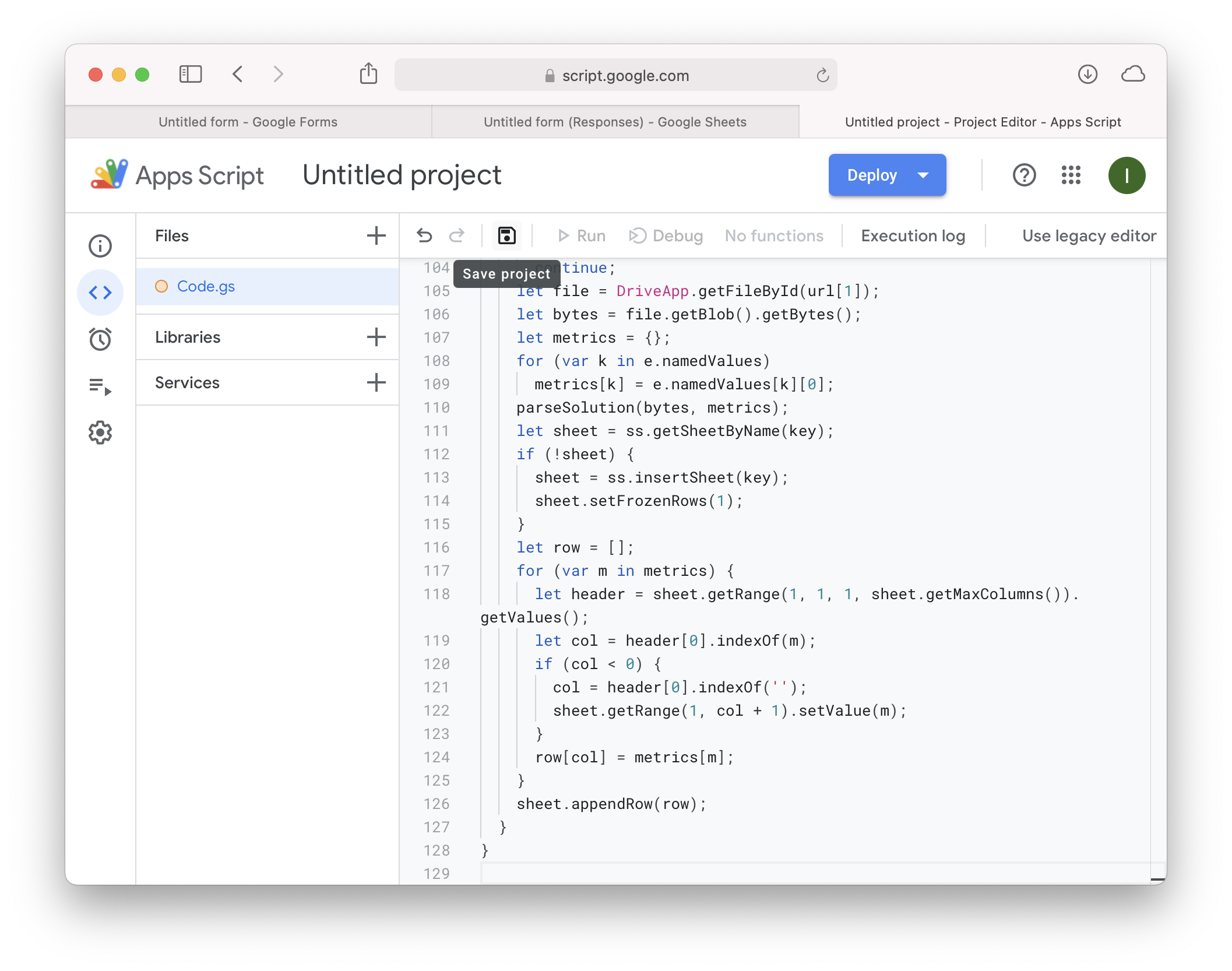
into the text box. once it's set up, the script will automatically fill in the metrics in a separate sheet every time a form is submitted. be sure to save the file after you paste.
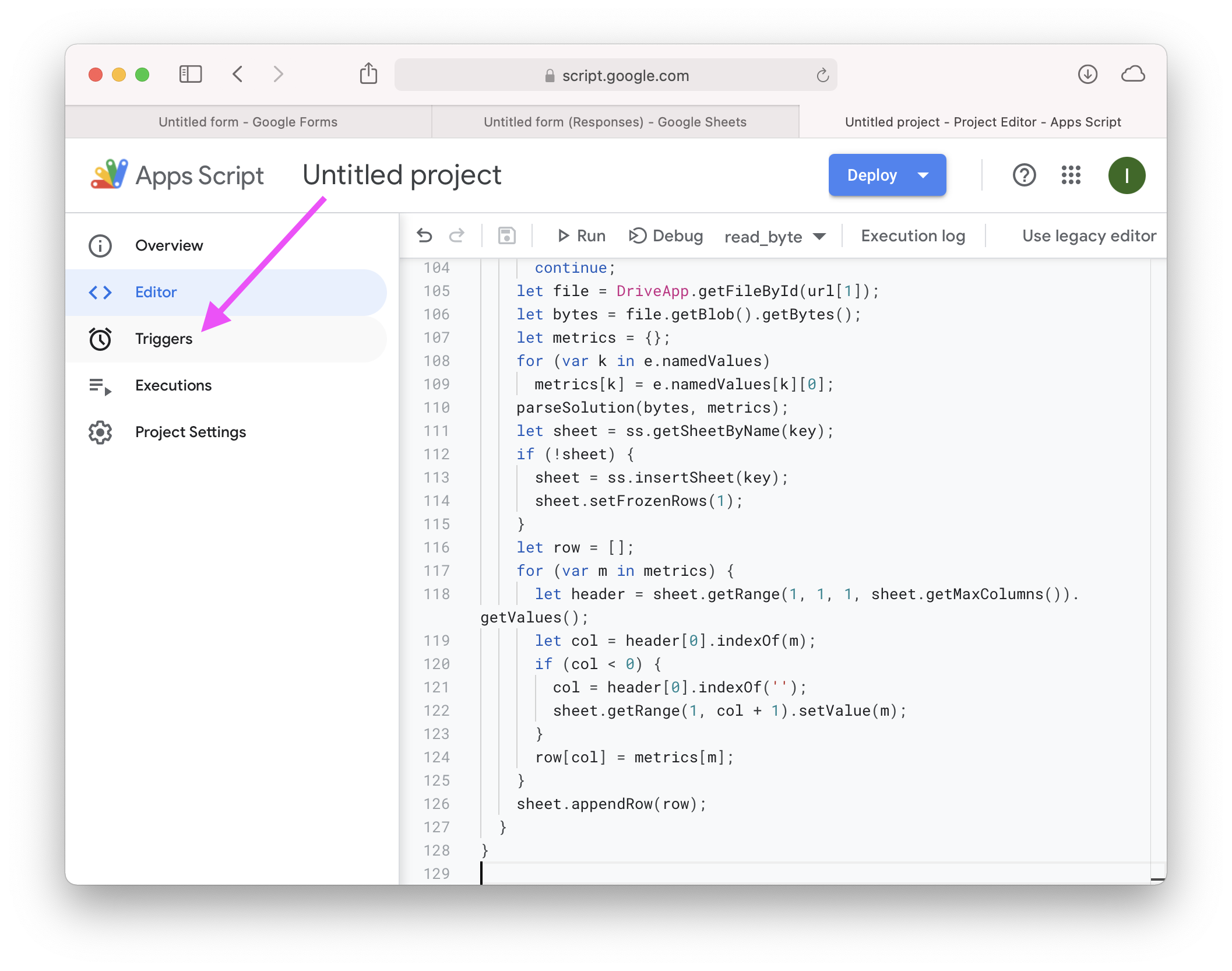
to make the code run on each submission, set up a trigger.
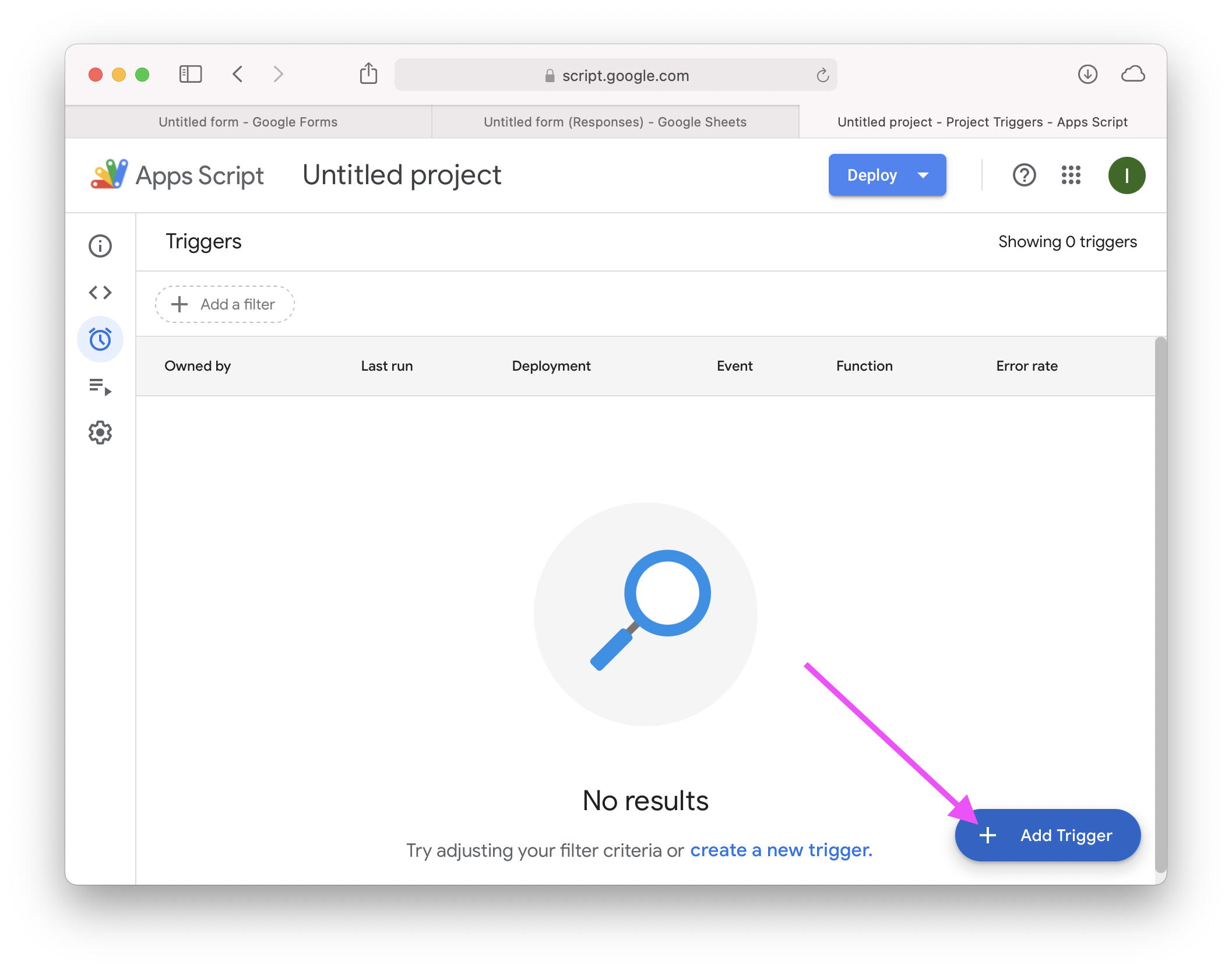
choose the onSubmit function…
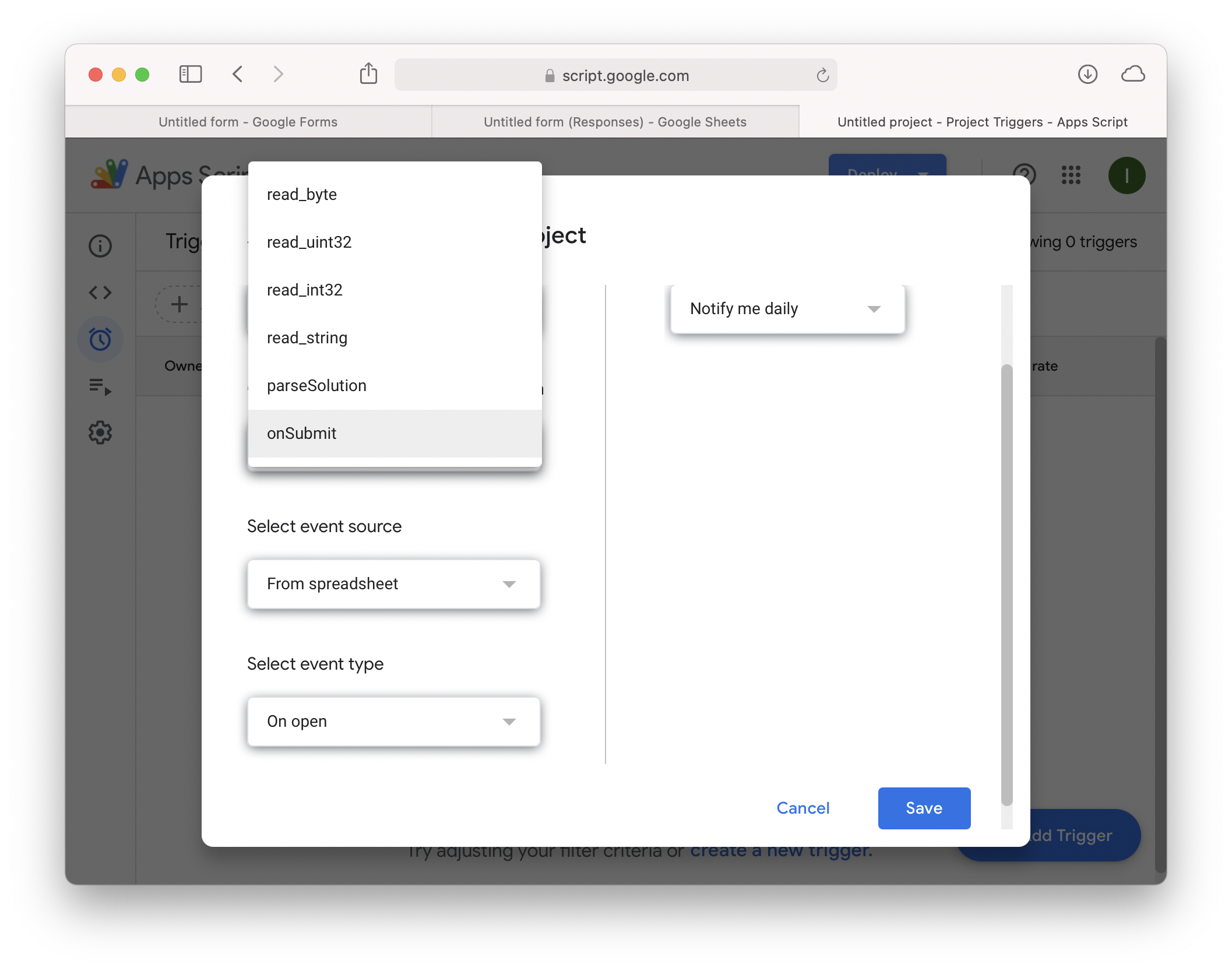
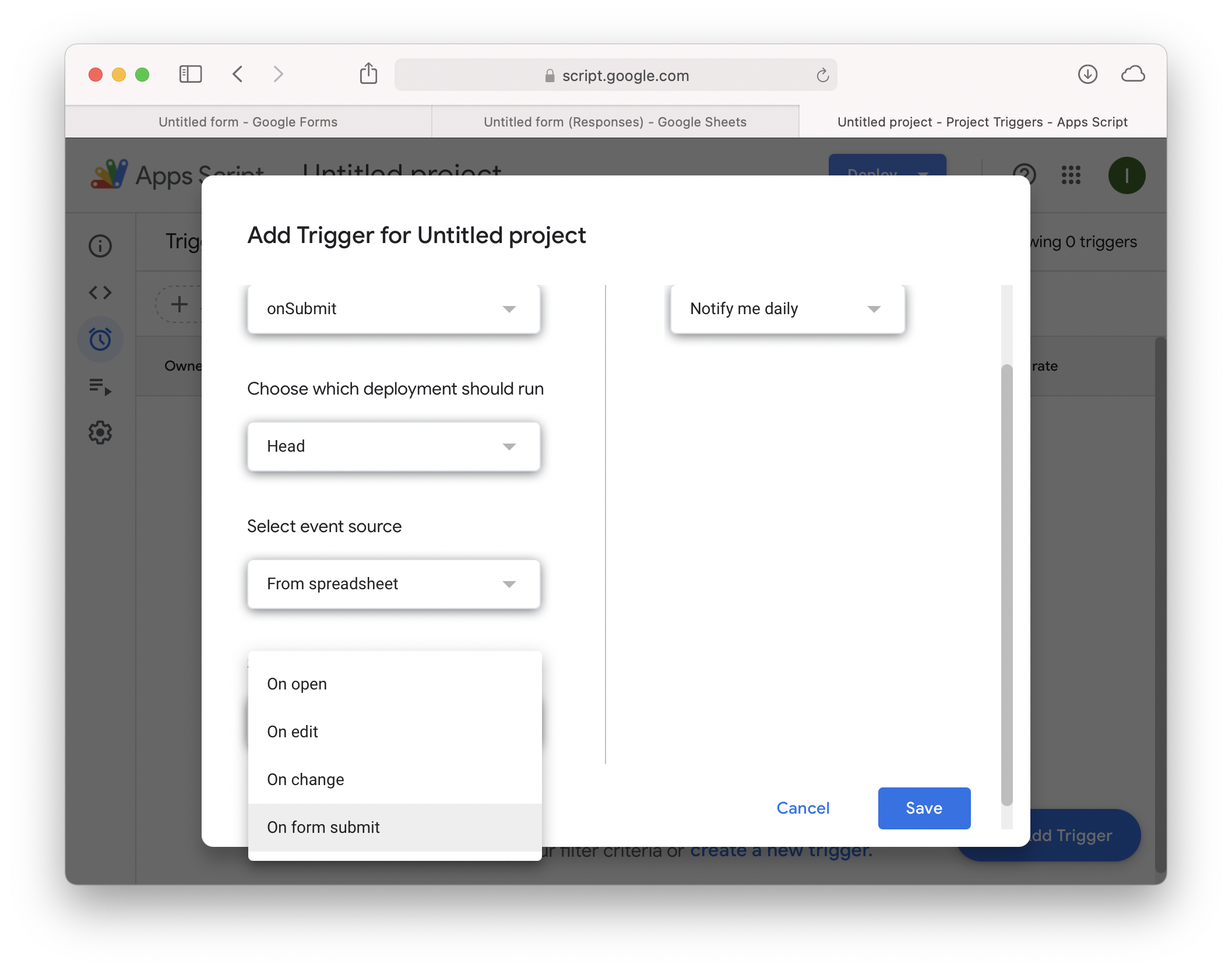
and have it run on form submit:
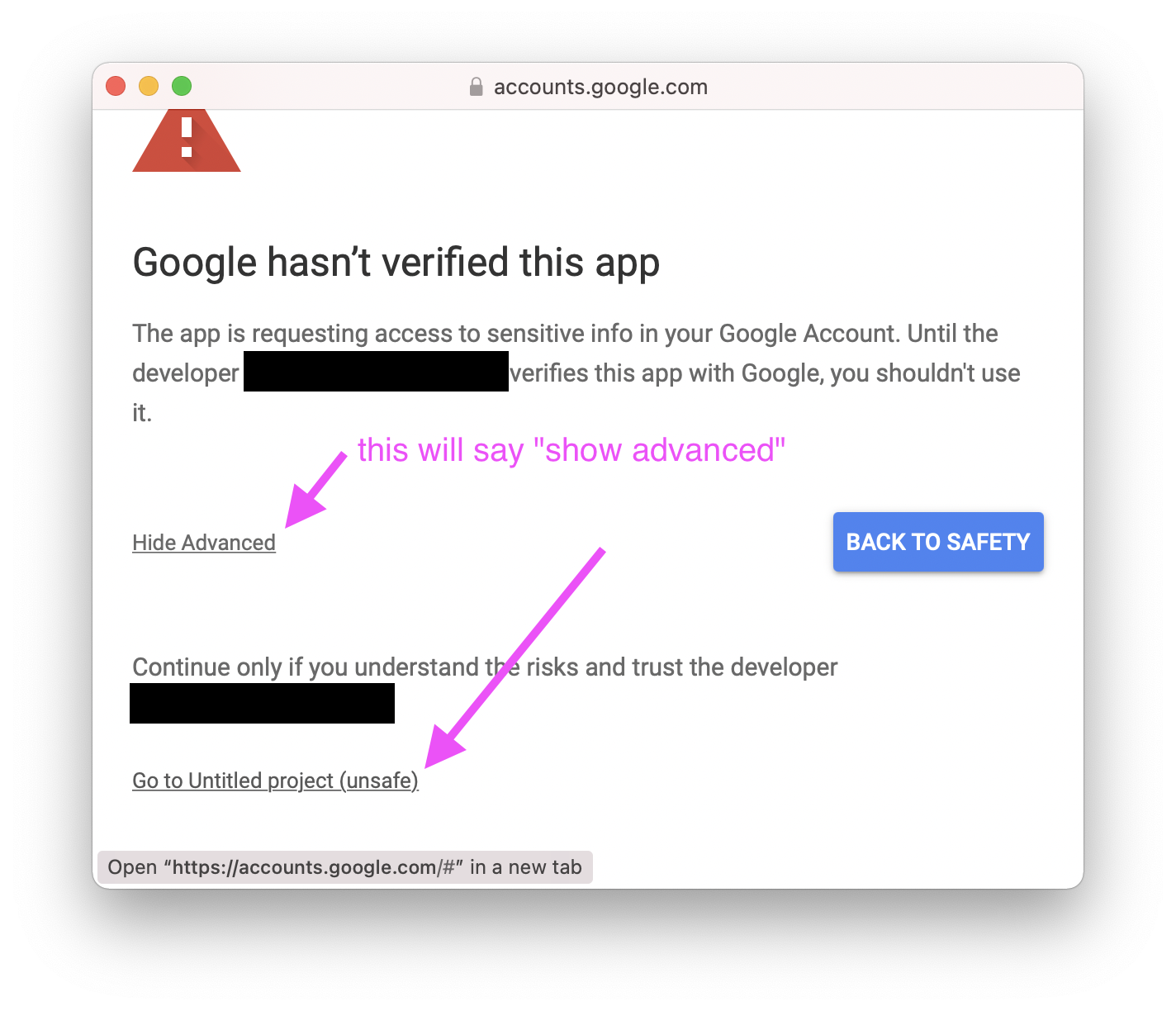
you'll have to go through this scary alert. there may be a way for me to submit my code to google to avoid this, but it would take more than 24 hours. let me know and i can do it if you want, though.
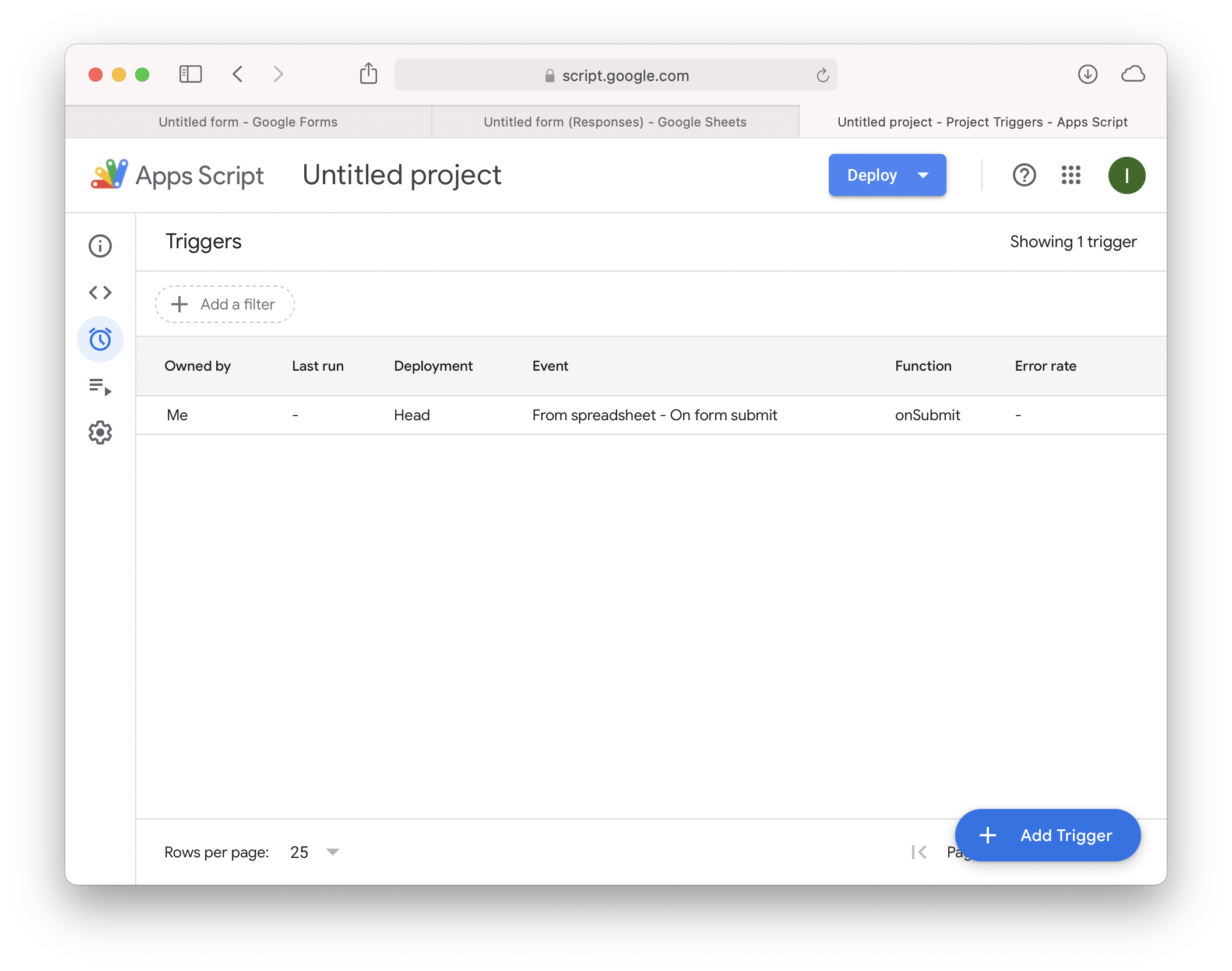
once you see this page, it should be all set up. try submitting a solution and see if it works.
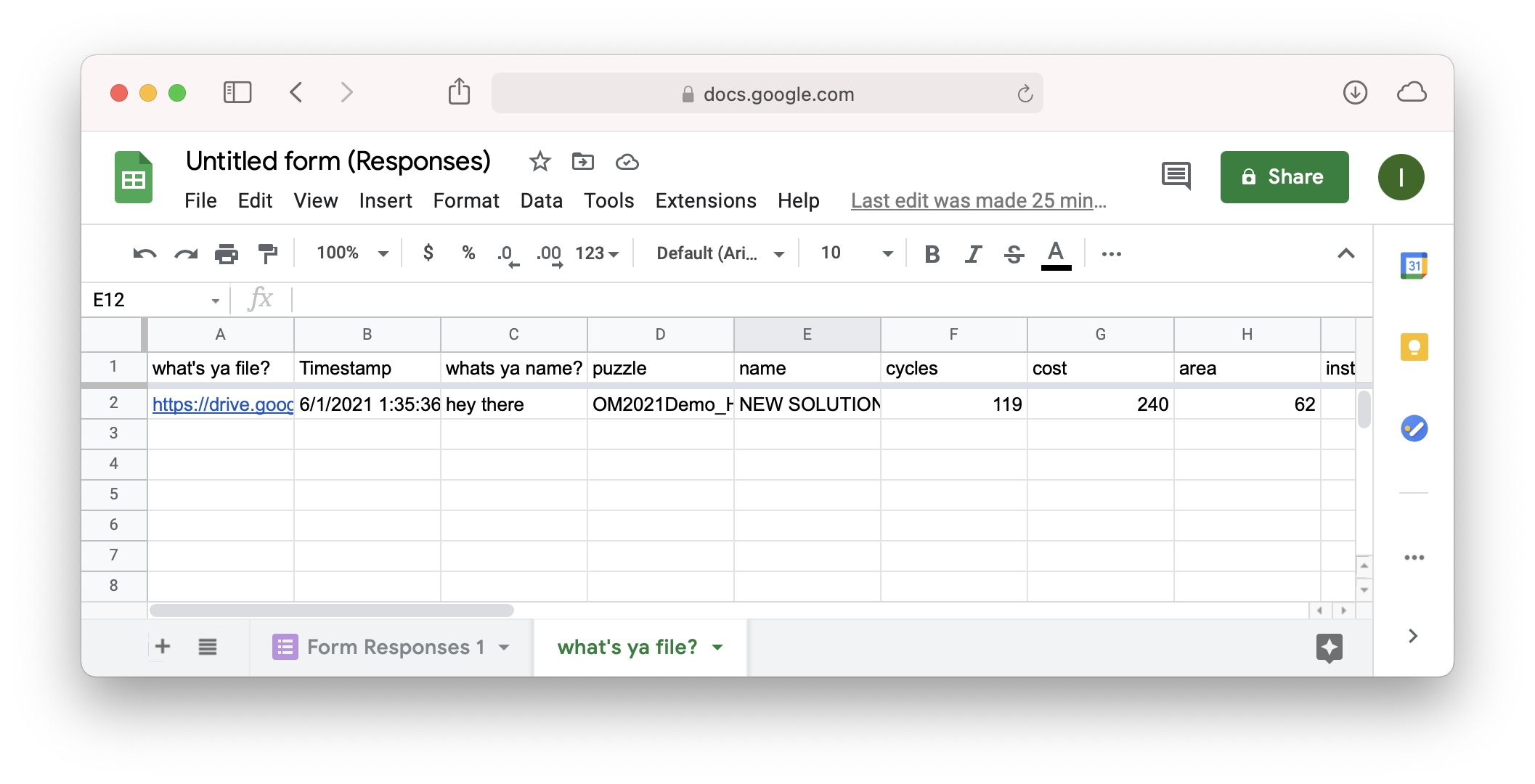
the sheet it creates should look something like this. the name of the sheet is based on the question name in the form.